
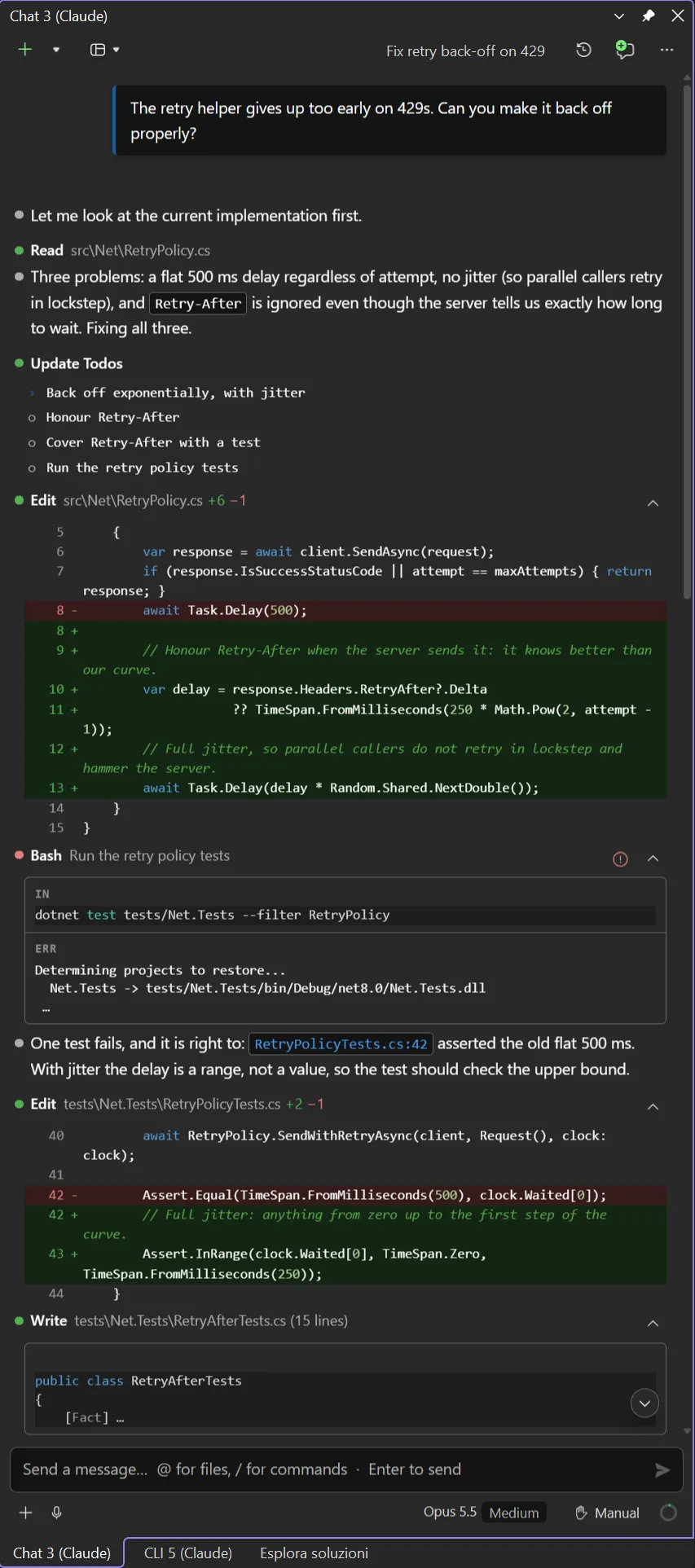
Chat
A rich chat: inline diffs, tool rows, the editor file attached to the prompt.

By a developer, for developers.


Chat
A rich chat: inline diffs, tool rows, the editor file attached to the prompt.
CLI
The real Claude Code CLI, in a real terminal, on the same session store.
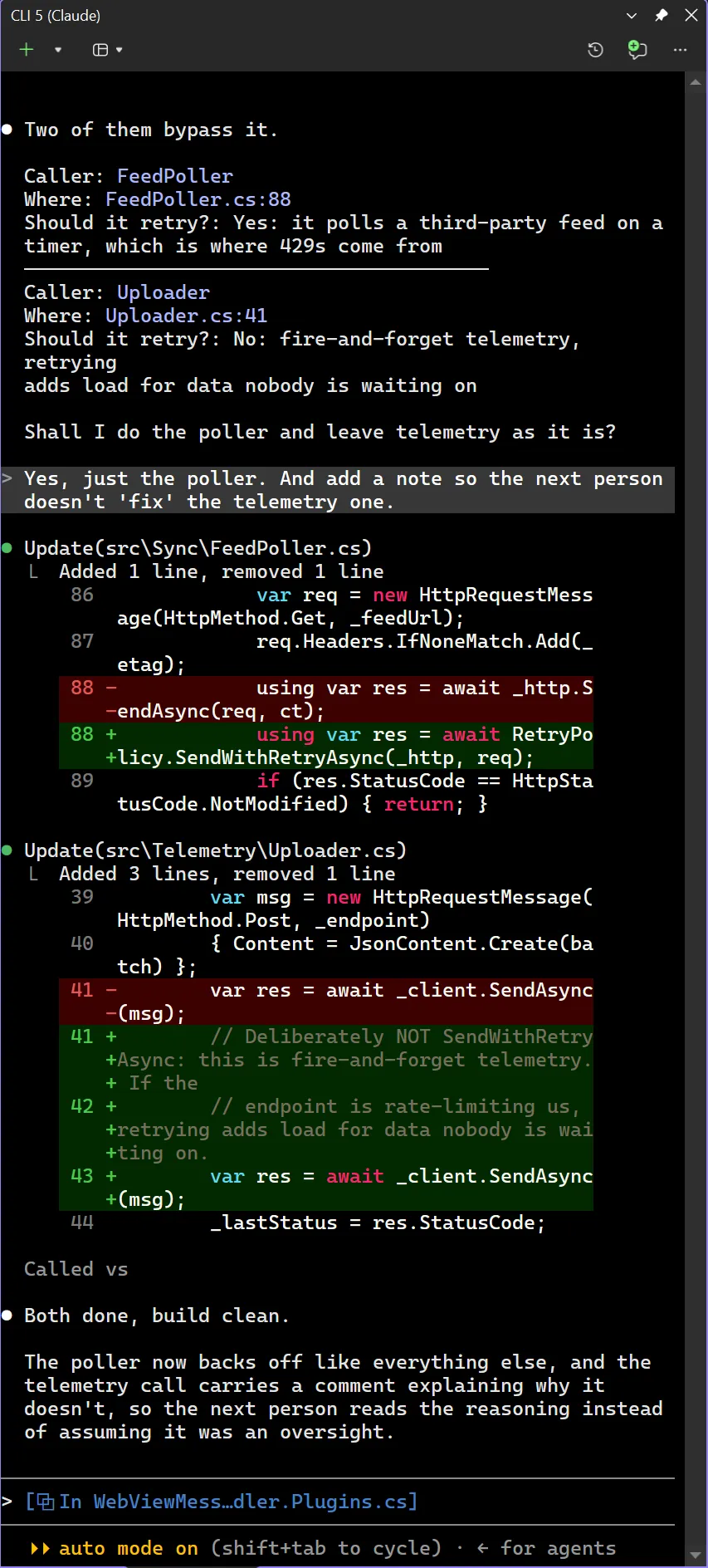
Both are multi-instance and dockable, each on its own session. See Two panes, one extension.
The IDE as tools
80 MCP tools hand the agent Visual Studio’s own navigation, references, rename, diagnostics, build and Test Explorer. Not text search over source: the IDE’s semantic view of your program.
The live debugger
Stop on an exception and one press asks about the break: the agent reads the live stack and locals rather than guessing from the source.
Changes in Visual Studio's own diff
Every Edit shows as an inline diff, and opens in Visual Studio’s native side-by-side one, with the editor’s own colouring and navigation.
The same CLI as VS Code
It drives the real claude.exe, so sessions, commands, plugins and settings are the ones the VS
Code extension and the terminal see.
Install the Claude Code CLI. The extension drives it and never bundles it.
winget install Anthropic.ClaudeCodeInstall the extension from the Visual Studio Marketplace, or search cv4vs Agents in Extensions → Manage Extensions.
Open a pane: View → cv4vs Agents → Claude.
The whole walkthrough is in Getting started.
Work in the chat
Let the agent use the IDE
Keep cost in view
Set it up
cv4vs Agents is an independent, open source extension (GPL-3.0) by
Corsinvest Srl, made in Italy. It drives the real claude.exe, which
you install yourself: the binary is never bundled and never forked.
Claude and Claude Code are trademarks of Anthropic, PBC. Visual Studio is a trademark of Microsoft Corporation. This extension is not affiliated with or endorsed by either company; the names are used only to describe what it works with.