

Settings
⋮ → Settings (Ctrl+,) opens four tabs: Appearance, Launchers, Clusters and Kiosk.
Changes apply when you click Save, except the launcher list, saved at every change. In kiosk mode Launchers and Clusters are hidden
and Appearance is reduced until the admin password is entered.
Appearance
Section titled “Appearance”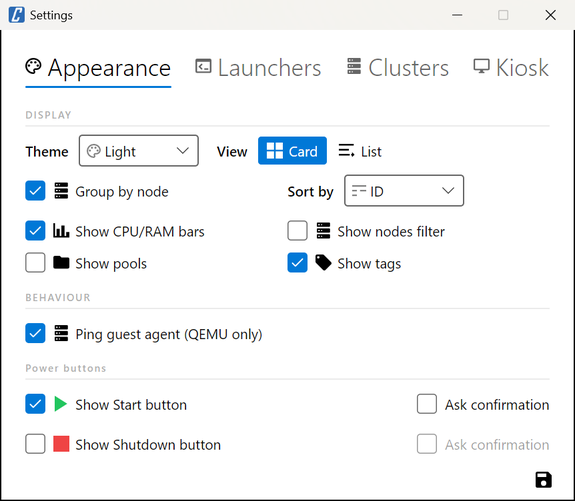
| Setting | Default | What it does |
|---|---|---|
| Theme | Dark | System, Light or Dark. |
| View | Card | Card or List at start. |
| Group by node | On | Guests under a header per node; off, one flat list. |
| Sort by | ID | VMID or name; VMs and containers are sorted together. |
| Show CPU/RAM bars | On | Usage bars in cards and rows. |
| Show nodes filter | Off | Node section in the filters. |
| Show pools | Off | Pool section in the filters, pool next to the VMID. |
| Show tags | On | Tags on guests and Tags section in the filters. |
| Ping guest agent (QEMU only) | Off | Live agent badge: one more API call per running VM, see Guest setup. |
| Show Start button | Off | Start on stopped guests the account may power. |
| Show Shutdown button | Off | Shutdown on running guests the account may power. |
| Ask confirmation | Off | One for Start, one for Shutdown. |
In kiosk mode, without the admin password, only Theme, View, Group by node and Sort by are shown.
Launchers
Section titled “Launchers”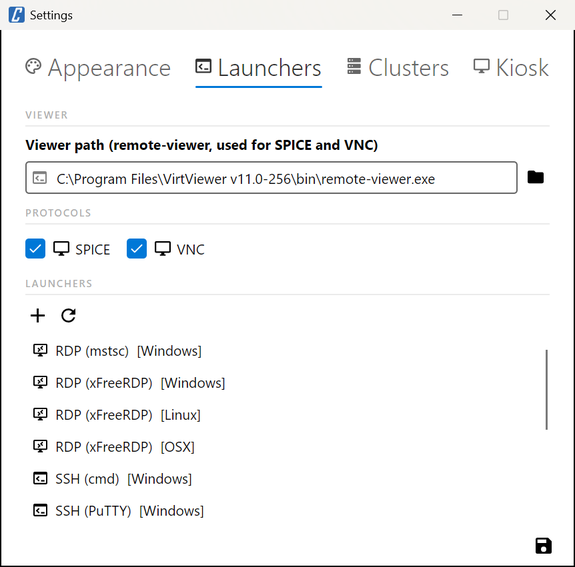
| Setting | Default | What it does |
|---|---|---|
| Viewer path | Empty | Path of remote-viewer, used for SPICE and VNC. Empty: no console opens and the main window shows a warning. |
| SPICE | On | Offer SPICE consoles. Off, cv4pve-vdi also stops reading the display type of each VM at refresh. |
| VNC | On | Offer VNC consoles. |
| Launchers | Built-in list | Add, edit and reset launchers; see Launchers. |
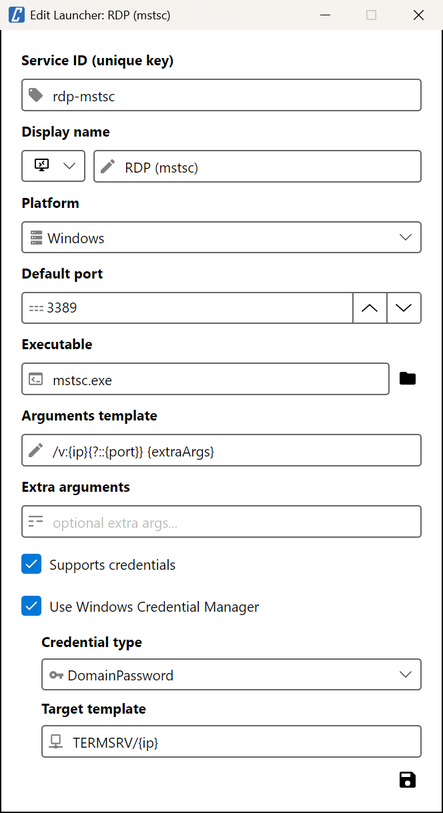
The viewer path and the launchers belong to the computer, not to a cluster. Editing a launcher opens:
Clusters
Section titled “Clusters”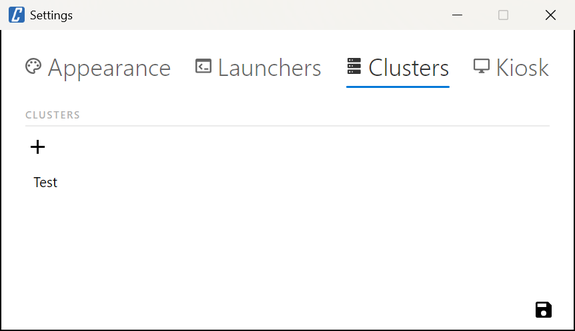
The clusters offered at login. The gear of the login window opens this tab alone. Fields of a cluster:
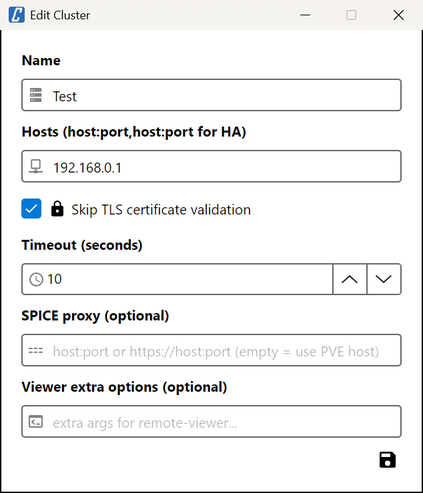
| Field | Default | What it does |
|---|---|---|
| Name | - | Shown in the login window. |
| Hosts | - | host[:port], comma-separated; the first that answers is used. Port 8006 when omitted. |
| Skip TLS certificate validation | Off | Accept the nodes’ certificate without checking it. |
| Timeout (seconds) | 10 | Wait per host, 5-120. |
| SPICE proxy | Empty | Host name or IP address remote-viewer connects to on port 3128; empty, the node cv4pve-vdi is connected to; see How it connects. |
| Viewer extra options | Empty | Arguments added to remote-viewer for SPICE sessions of this cluster. |
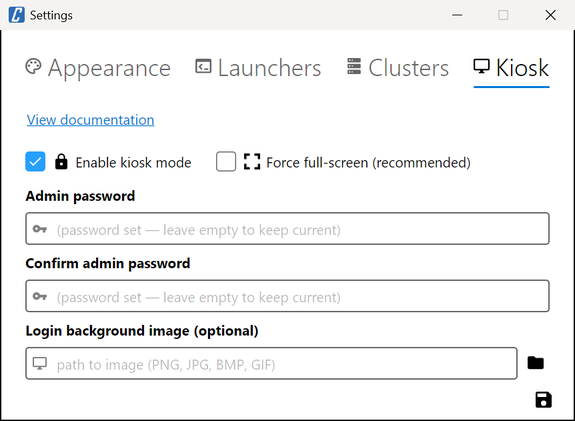
| Setting | Default | What it does |
|---|---|---|
| Enable kiosk mode | Off | Full-screen, settings behind the admin password; see Kiosk mode. |
| Force full-screen (recommended) | On | Login and main window full-screen in kiosk mode. |
| Admin password | - | Required to enable kiosk mode; leave empty to keep the current one. |
| Login background image | Empty | PNG, JPG, BMP or GIF behind the login form in kiosk mode. |
Configuration files
Section titled “Configuration files”cv4pve-vdi keeps its configuration in the home folder of the operating system user:
~/.cv4pve/vdi/ on Linux and macOS, %USERPROFILE%\.cv4pve\vdi\ on Windows:
| File | Content |
|---|---|
config |
Settings, clusters, services of each VM, kiosk settings, last username, language. YAML. |
launchers.yaml |
Custom launchers and changed built-in launchers. |
On Linux and macOS cv4pve-vdi makes config readable by its owner only each time it saves it: it can
contain Manual credentials in plain text. An excerpt, with the keys as
cv4pve-vdi writes them:
default-view: Cardlast-user: alice@pveviewer-path: /usr/bin/remote-viewertheme: Darkclusters:- name: prod hosts: pve1.example.com,pve2.example.com skip-ssl-validation: true timeout: 10 spice: proxy: '' viewer-options: '' vms: - vm-id: 101 services: - service-id: rdp-mstsc port: 3389 credential-source: Vdi ip-override: '' extra-args: ''show-start-button: truegroup-by-node: truesort-by: IDenable-spice: trueenable-vnc: truekiosk: falsekiosk-admin-password-hash: ''kiosk-force-full-screen: truelanguage: autoThe file is rewritten at every save and at every login, through a temporary file moved into place, so an
interrupted write never leaves it truncated. On Linux and macOS it is readable only by its owner (600).
A file that cannot be parsed (after a manual edit, for example) is copied to config.bak-<date>-<time>
next to it, and cv4pve-vdi starts with the defaults; the login window shows where the copy is. Fix the copy
and put it back as config to restore clusters, services and settings.