

Telegram bot
cv4pve-botgram needs a Telegram bot of your own: Telegram gives you its token, and the token is what
--token takes. Creating it needs no code and no computer, only the Telegram app.
Create the bot
Section titled “Create the bot”-
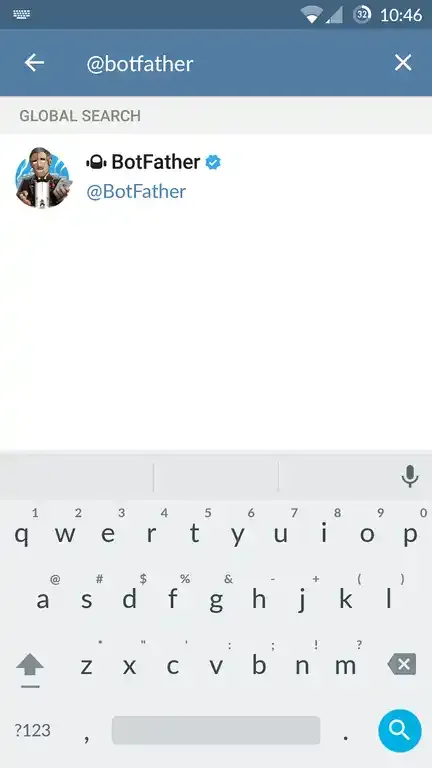
In Telegram, search for @BotFather, the official bot that creates and manages bots. Check the blue verified mark.
-
Open the chat and send
/newbot./helplists everything BotFather can do.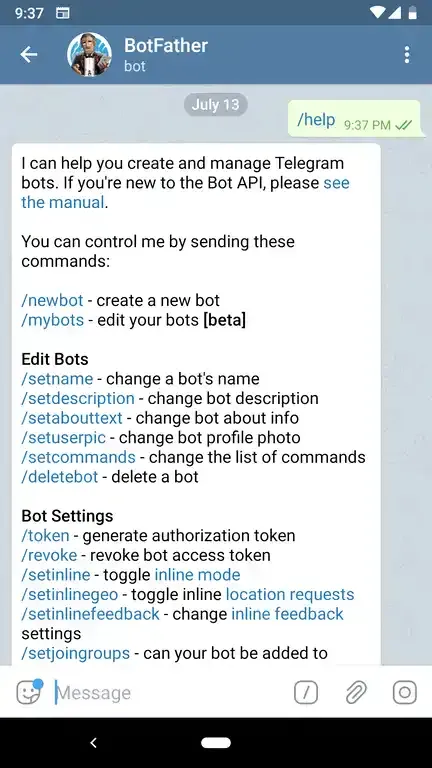
-
Answer its two questions:
- the name shown in the chat list, e.g.
Datacenter PVE Bot; - the username, unique in Telegram and ending in
bot, e.g.datacenter_pve_bot.
- the name shown in the chat list, e.g.
-
BotFather replies with the token, a string like
123456789:AAH…. Pass it to--token.
Restrict the bot to your chats
Section titled “Restrict the bot to your chats”A Telegram bot can be found and written to by anyone. --chatsId lists the chats cv4pve-botgram answers;
a message from any other chat gets You not have permission in this Chat! and is written to the log.
Without --chatsId every chat is accepted.
To find the ID of your chat:
-
Start the bot with an ID that matches no chat:
cv4pve-botgram --host=pve1.local --api-token='bot@pve!bot=<uuid>' --token='<telegram-bot-token>' --chatsId=0 -
Send any message to the bot from Telegram. It refuses you, and the console shows the ID:
10/01/2026 10:57:50 - Chat Id: '123456789' User: 'your_username' - 'Your Name' Msg Type: 'Text' => 'hello'Security: Chat Id '123456789' - Username 'your_username' not permitted access! -
Stop the bot and start it again with that ID. Several chats are separated by commas:
cv4pve-botgram --host=pve1.local --api-token='bot@pve!bot=<uuid>' --token='<telegram-bot-token>' --chatsId=123456789,987654321
The chat ID decides who may talk to the bot; the privileges of the Proxmox VE token decide what the bot may do. Keep both tight: see Permissions.