Command Palette 
Keyboard-driven access to modules, navigation and Proxmox VE operations — without leaving your current page. The palette is always available; some result types and commands appear only when a specific cluster is selected.
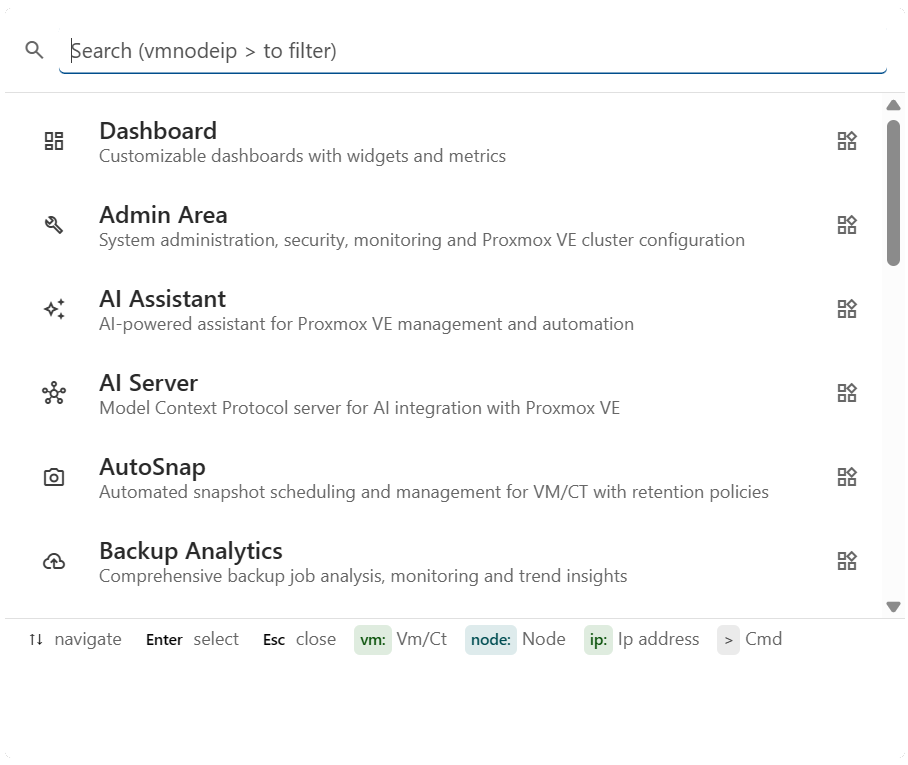
Features
-
Single shortcut, anywhere
Ctrl+K(orCmd+Kon macOS) opens the palette from any page.↑↓to move,Enterto execute,Escto close. -
Mixed search
One textbox spans modules, VMs / containers, nodes and commands. Prefix tokens (
vm:,node:,ip:,>) narrow the scope on demand. -
Quick PVE actions
start,stop,restart,console,create snapshot— operate on any VM/CT without clicking through the resource grid. -
Permission-aware
Results are filtered by the current user's PVE permissions; commands the user can't execute don't appear.
-
Parameter dialogs
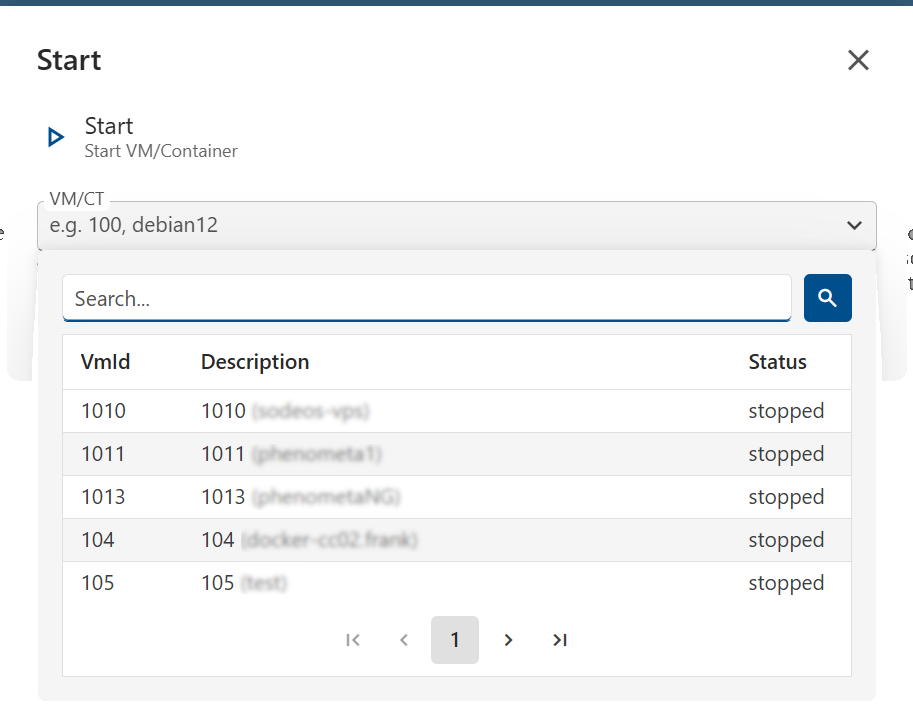
Commands that need input open a typed parameter dialog (VM picker, text, boolean) — no command-line syntax to remember.
-
Context-aware footer
The footer dynamically lists the prefixes available in your current cluster context, so you always see what you can search for right now.
Why
Why a palette when you already have a sidebar?
Zero clicks, zero scrolling
Open from anywhere with a keystroke — no breaking your flow to navigate menus or scroll long resource grids.
Stops working with VM IDs in your head
Type vm:web and the matching VMs surface across every cluster — no need to remember which node or storage hosts what.
Trigger ops without the resource page
>start + pick a VM = started. No need to open Resources, find the row, click the kebab — three keystrokes total.
Find by what you remember
Lost a VM but know its IP? ip:192.168.1 lists every guest matching. Hostname, OS, tags also searchable.
Reference
All search prefixes
| Prefix | Filters | Example | Scope |
|---|---|---|---|
vm: |
VM / Container by ID or description | vm:100, vm:web |
|
node: |
Node by name or description | node:pve1 |
|
ip: |
VM / Container by IP address | ip:192.168 |
|
> |
Commands only | >start |
All commands
Commands open a dialog if they require parameters. PVE commands operate on the currently selected cluster.
| Command | Description | Parameters | Scope |
|---|---|---|---|
logout |
Log out the current user | – | |
start |
Start a stopped VM / Container | VM / CT | |
stop |
Stop a running VM / Container | VM / CT | |
restart |
Restart a running VM / Container | VM / CT | |
console |
Open web console (NoVnc / Xterm.js / Spice) | VM / CT | |
create snapshot |
Create a VM / CT snapshot | VM / CT, name, description, include RAM |
Result rows anatomy
Each row shows an icon (color-coded by category), title, subtitle, status badges (running / stopped, hostname, OS, lock) and a final indicator — open_in_new if the command opens a dialog, bolt for instant actions.
Result types: Module · VM / CT · Node · Command.
Search behaviour
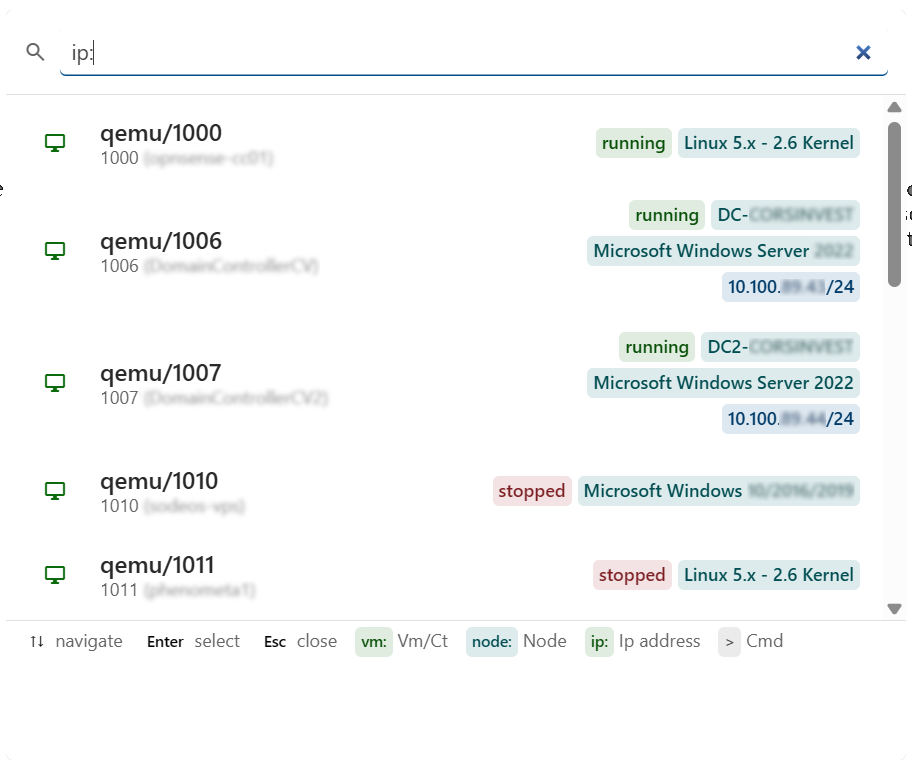
The query is tokenised on spaces. Each token is either a prefix:value filter or free text; without a prefix the search spans modules, VMs, nodes and commands.
- Free text matches
Title,Subtitleand tagged extras (hostname, OS, IPs) — not status badges.vm:100 stoppeddoesn't work; use the Resources module to filter by state. - Only one resource filter takes effect at a time — combining
node:andvm:falls back tonode:. - The footer of the palette lists the prefixes available in your current cluster context.
Console authentication
console requires the WEB API to use Credential authentication (PAM user). It is disabled with API Token authentication.
Cluster context
- entries (modules navigation,
logout, the>command filter) are always there. - entries (VM / CT / Node search, PVE commands) appear only when a single cluster is selected. Switching to All Clusters hides them.